Last updated on: March 27, 2026
Table of Contents
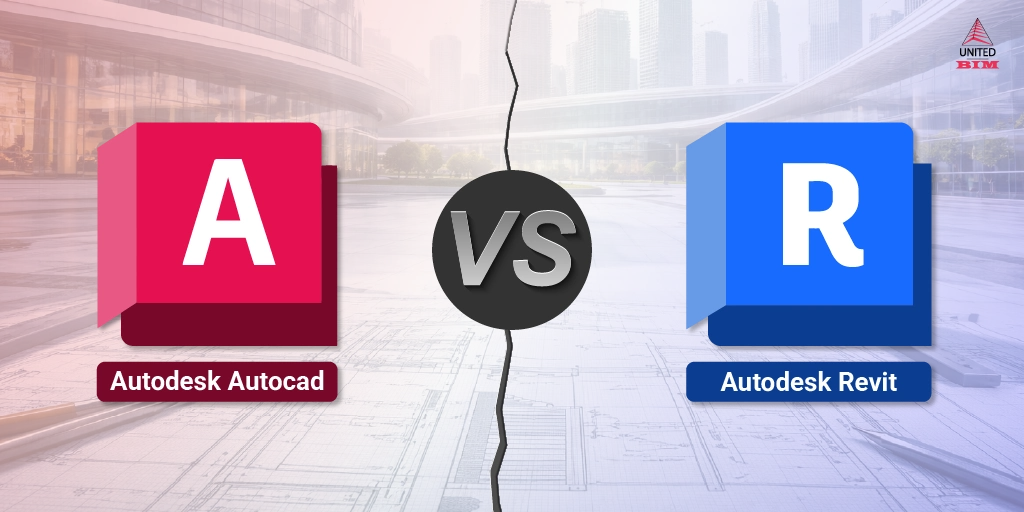
The discussion around Revit vs AutoCAD is often reduced to BIM vs CAD, or new vs old.
But in real projects, the difference is not about software. It is about how work is created, managed, and coordinated across teams.
You will rarely see a project using only one tool. Instead, you will find:
- Architects working in Revit
- Consultants still using AutoCAD
- Coordination happening between both
So the real question is not AutoCAD vs Revit, but:
How does each tool behave when the project becomes complex and involves multiple teams?
Before we compare them, it is important to define how we are evaluating both.
This blog does not compare features. It compares how each tool performs in real workflows like drafting, modeling, revisions, coordination, and collaboration.
At a Glance
If you need the short version before diving in:
| Revit Primary Use | Revit: BIM modeling, multi-discipline coordination, data-rich documentation |
|---|---|
| AutoCAD Primary Use | AutoCAD: 2D drafting, technical detailing, legacy file work |
| Best For Revit | New construction, complex projects, MEP coordination, client BIM mandates |
| Best For AutoCAD | Renovation of existing buildings, 2D shop drawings, interiors, consultants using DWG |
| Learning Curve | Revit is steeper. AutoCAD is faster to pick up for basic drafting tasks. |
| Pricing (2026) | Revit standalone ~$2,545/yr | AutoCAD ~$2,030/yr | AEC Collection ~$3,675/yr (includes both) |
| Can they coexist? | Yes, and they often should. Many projects run Revit as the BIM backbone with AutoCAD handling specific details or legacy files. |
What Is AutoCAD?
AutoCAD has been around since 1982. That is not trivia. It means that almost every firm you walk into has a DWG file somewhere, and that file needs to be opened, edited, and delivered to someone else in DWG format. AutoCAD still owns that workflow.
At its core, AutoCAD is a CAD (Computer-Aided Design) drafting tool. It works with geometry: lines, arcs, polylines, hatches, and text. You draw a wall as two parallel lines. You draw a duct as a rectangle. The software does not know or care that one is a structural element and the other carries conditioned air. That is both its strength and its limitation.
Where AutoCAD Still Earns Its Place
- Producing 2D shop drawings, schematics, and as-builts that need to go out fast
- Working with legacy DWG files from existing building records
- Civil and infrastructure disciplines that do not benefit from BIM's parametric model approach
- Interior design and furniture layout work where quick iteration beats model accuracy
- MEP schematics and riser diagrams that are purely representational
- Smaller firms and solo practitioners who mostly do residential or light commercial work
In Practice: AutoCAD is not a lesser tool. It is a different tool. The firms that struggle are the ones using it where it was never designed to go, specifically large, multi-discipline projects requiring coordinated documentation across architecture, structure, and MEP.
What Is Revit?
Revit is a BIM (Building Information Modeling) platform. The fundamental difference is that Revit does not draw geometry. It builds a model made of intelligent components: walls that know their material, height, and fire rating; ducts that belong to HVAC systems; beams that connect to specific structural grids.
When you change a wall in Revit, every floor plan, section, elevation, and schedule that references that wall updates automatically. That single capability alone changes the economics of large project documentation.
Revit is also designed for multi-user environments. Through its worksharing feature, multiple engineers and architects work within the same central model simultaneously, each checking out their own discipline workset. On a hospital project we worked on, the structural team and MEP team were both live in the same Revit model, which let us catch a major duct-to-beam conflict at design development rather than during construction. That kind of early conflict detection is only possible because the model is a shared, coordinated environment.
What Revit Does Particularly Well
- Automated schedules for doors, windows, rooms, materials, and equipment
- Multi-discipline BIM coordination (Architecture + Structure + MEP in one model)
- Clash detection workflows with Navisworks
- Quantity takeoffs and 5D cost estimation integration
- Meeting BIM Level 2 and Level 3 mandates on public sector projects
- 4D scheduling when linked to construction timeline tools
- Scan-to-BIM workflows from point cloud data for renovation projects
In Practice: AutoCAD is not a lesser tool. It is a different tool. The firms that struggle are the ones using it where it was never designed to go, specifically large, multi-discipline projects requiring coordinated documentation across architecture, structure, and MEP.
Revit vs AutoCAD: Key Differences (Workflow-Level)
Most comparisons list features. That is not what breaks down in real projects. Here is what actually separates them when work is happening:
| Category | Revit | AutoCAD |
|---|---|---|
| Core concept | Parametric BIM model | 2D/3D geometry drafting |
| Change management | Change once, update everywhere automatically | Manual update required in every view/sheet |
| Collaboration | Multi-user worksharing in central model | File-based; one user per file at a time |
| Data embedded | Yes: material specs, cost, dimensions, system data | No: geometry only |
| Clash detection | Native + Navisworks integration | No native capability |
| Schedules/BOQ | Automatic, live-linked to model | Manual or scripted |
| Interoperability | RVT, IFC, DWG, NWC export | DWG, DXF, PDF, DGN |
| Legacy file support | Limited; DWG import possible but not seamless | Excellent; native DWG |
| Performance | Demanding; large models need strong hardware | Lighter; runs on modest setups |
| Learning curve | especially | Moderate; faster for basic tasks |
The Change Management Difference Is Bigger Than It Sounds
On a 200,000 sq ft commercial project, you might have 80 sheets in your drawing set. If a structural grid shifts by 600mm, an AutoCAD workflow means manually hunting through every affected plan, section, and detail to make the correction. It takes days and introduces errors.
In Revit, you move the grid. The model updates. You review and re-issue. That difference compounds across every revision cycle in a project. It is not a marginal improvement. Over a full design and documentation phase, it can represent weeks of saved labor.
Real-World Use Cases: When to Use Which
- Your project requires a BIM Execution Plan (BEP), which is standard on most US federal and many state-funded projects
- You are delivering coordinated multi-discipline documentation (Architectural + Structural + MEP)
- Your client or GC will use the model downstream for construction management, FM, or cost estimation
- You need clash detection, particularly for MEP routing in tight ceiling spaces
- The project involves phasing or 4D scheduling
- You are doing a Scan-to-BIM conversion from point cloud data for a renovation
- You are working with existing buildings where documentation is entirely in DWG format
- The scope is primarily 2D: floor plans, elevations, details, and schematics
- You are producing shop drawings or fabrication documents for a subcontractor
- The project is small-scale, residential, or does not require multi-discipline coordination
- You need to deliver documents to consultants or authorities that only accept DWG
- You are doing site layout, civil grading, or infrastructure work that does not require BIM
This is more common than people admit. On several of our hotel and multi-residential projects, the architectural and structural teams worked entirely in Revit for the coordinated model, while MEP subcontractors delivered detailed schematics and riser diagrams in AutoCAD. Revit handled the coordination model; AutoCAD handled the flat technical deliverables. They fed each other through IFC and DWG exchange.
You can explore how this kind of multi-tool coordination played out on actual projects in our case studies, including work on hotel projects in Florida, MEP coordination for Boston Medical Center, and multi-residential projects across Connecticut and New Jersey.
Key Differences That Actually Matter
1. Workflow
- Model-first approach, which means you build a 3D model first and generate drawings from it instead of drafting views directly
- Requires setup, because levels, grids, and families must be defined before meaningful work can begin
- Slower initially, since time is spent structuring the model rather than producing drawings immediately
- Drawing-first approach, which means you directly create plans or sections without building a central model
- No setup required, so you can start drafting immediately without defining project structure
- Faster at the beginning, because output is created instantly without upfront planning
- Revit saves time during revisions because everything is connected
- AutoCAD saves time at the start but increases workload as changes accumulate
2. Change Management
- Centralized updates, where changing one element automatically updates all related drawings
- Reduced duplication, since you do not need to edit the same change in multiple views
- Model-dependent accuracy, meaning errors occur if elements are not properly connected
- Manual updates, where every change must be repeated across all affected drawings
- Higher risk of inconsistency, because missing even one update can create mismatched drawings
- Time-consuming revisions, especially when multiple sheets need to be updated
- Revit reduces revision effort but requires clean modeling
- AutoCAD increases revision effort but offers full control
3. Coordination
- Multi-discipline integration, where architectural, structural, and MEP models can be linked together
- Clash detection support, allowing conflicts to be identified before construction begins
- Central coordination workflow, meaning teams work within a shared system
- Xref-based coordination, where drawings are overlaid but not truly integrated
- No clash detection, so conflicts must be identified manually
- Communication-dependent workflow, relying heavily on coordination meetings and checks
- Revit enables proactive coordination
- AutoCAD relies on reactive coordination
4. Flexibility vs Structure
- Structured environment, where elements must follow defined rules and relationships
- Limited flexibility, because changes must align with model constraints
- Consistency-driven workflow, ensuring uniform output across the project
- High flexibility, allowing users to draw anything without restrictions
- No enforced standards, so workflows vary between users
- User-dependent quality, meaning output consistency depends on individual skill
- Revit reduces variation but requires discipline
- AutoCAD allows freedom but risks inconsistency
5. Output Logic
- Model-derived drawings, where all views are generated from the same model
- Automatic consistency, ensuring all drawings reflect the latest changes
- Reduced coordination effort, since updates are synchronized
- Drawing-based output, where each sheet is created and managed separately
- Manual consistency, requiring users to update each drawing individually
- Higher QA effort, since errors must be checked across multiple files
Practical Considerations: Compatibility and Workflow Friction
One of the most persistent friction points in mixed-software teams is DWG exchange. Revit can export views to DWG, but the output is not clean. You lose parametric intelligence, hatches sometimes export incorrectly, and the layer naming follows Revit conventions rather than your firm’s CAD standards. Anyone who has sent a Revit-exported DWG to a consultant running AutoCAD knows the cleanup exercise that follows.
The workaround most firms use is to maintain a separate AutoCAD template with proper layer standards and manually draft the DWG deliverables. It is double-handling, but it is often faster than trying to make the Revit export presentable.
For truly interoperable workflows, IFC (Industry Foundation Classes) is the cleaner exchange format when handing off between Revit and non-Autodesk platforms. If your structural consultant uses Tekla or your civil team is on Civil 3D, IFC keeps the model intelligence intact better than DWG does. This matters more as BIM mandates on public projects increasingly require open BIM deliverables rather than proprietary RVT files.
AutoCAD runs comfortably on a mid-range workstation. Revit does not. A complex multi-discipline Revit model for a large project can bring underpowered machines to a crawl. At minimum you want 32GB RAM, a dedicated GPU, and a fast NVMe SSD. On a hospital project we worked on, we had to upgrade three workstations mid-project because the model had grown to a level that was causing daily performance issues.
For firms outsourcing BIM modeling, cloud-hosted Revit environments are becoming more practical. They shift the hardware cost to the service provider, which is worth factoring into the true cost comparison.
Learning Curve and Team Adoption
AutoCAD is learnable in a few weeks for basic 2D drafting. Revit takes longer, not because the interface is inherently complex, but because it requires a mindset shift. You stop thinking about drawing representations and start thinking about building components.
The typical stumbling block is families. Revit families are the parametric objects that make up the model: doors, windows, furniture, equipment, structural connections. When a family does not exist for what you need, you have to build it, and family creation is a skill of its own. Firms new to Revit often underestimate this and either accept poor model content or spend unexpected time on family development.
From Experience: The teams that adopt Revit most successfully are the ones that invest in BIM standards before they invest in Revit training. A Revit model without naming conventions, workset structure, LOD definitions, and a BIM Execution Plan becomes a liability faster than an asset.
AutoCAD-trained staff switching to Revit often struggle most with letting go of layer-based thinking. In Revit, you do not control visibility through layers. You use categories, sub-categories, view templates, and filters. It is a more powerful system, but it takes time to internalize.
Pricing: What You Are Actually Paying in 2026
| Plan | Monthly | Annual | Best For |
|---|---|---|---|
| Revit Standalone | ~$380/mo | ~$3,005/yr | Firms using only Revit |
| AutoCAD Standalone | ~$260/mo | ~$2,095/yr | Drafting-focused teams |
| Revit LT | ~$70/mo | ~$560/yr | Small firms; lacks worksharing |
| AutoCAD LT | ~$70/mo | ~$540/yr | Entry-level BIM + CAD |
| AEC Collection | ~$460/mo | ~$3,675/yr | Full-service BIM firms (best value) |
After working on over 1,000 projects across healthcare, hospitality, multi-residential, commercial, and industrial sectors, the pattern we see is consistent: the firms that struggle with Revit are the ones who adopted the software without adopting the process. They moved from AutoCAD to Revit but kept AutoCAD thinking. They use Revit to produce drawings rather than using it to build a model from which drawings are derived.
The result is a Revit model that is uncoordinated, full of workarounds, and harder to maintain than a clean AutoCAD drawing set would have been.
Conversely, the firms that resist Revit entirely on the grounds that AutoCAD is ‘good enough’ are increasingly hitting walls on projects where BIM coordination is a contractual requirement. The GC needs an NWC for Navisworks. The owner wants a facility management model at handover. The MEP subs are running Revit and cannot coordinate against a 2D DWG set.
Final Verdict
Revit is the better tool for the majority of new construction projects above a certain scale and complexity. That scale is lower than most people assume. Once you have more than one discipline coordinating, more than a handful of revision cycles, or a client who will use the model after construction, Revit pays for itself.
AutoCAD is not dying. It is the right tool for renovation work, 2D-heavy scopes, infrastructure documentation, and any situation where DWG compatibility is a hard requirement. Many skilled professionals will continue to spend most of their career in AutoCAD for entirely legitimate reasons.
The worst outcome is treating this as a binary, permanent choice. Both tools exist, both are maintained by Autodesk, and the AEC Collection gives you access to both for less than the cost of either alone. The real skill is knowing which to reach for, and when.
Bottom Line: For new BIM-mandated projects and multi-discipline work: Revit. For drafting, details, renovation documentation, and legacy file workflows: AutoCAD. For firms doing both: AEC Collection, full stop.
Yes, but expect a genuine adjustment period. AutoCAD knowledge helps you understand drafting concepts, but Revit requires a different mindset: you are building components, not drawing geometry. Most professionals with strong AutoCAD skills become competent in Revit within 3 to 6 months of consistent use. The bigger shift is learning BIM workflow, not just the software interface.
Not obsolete, but its role is narrowing on complex projects. Large firms that do primarily new construction have largely shifted their primary workflows to Revit, with AutoCAD retained for details, schematics, and consultant exchange. Smaller firms, renovation-focused practices, and infrastructure specialists continue to use AutoCAD as their primary tool with no sign of that changing soon.
Yes, and this is common in practice. A typical workflow is Revit as the master BIM model for architectural and structural coordination, with AutoCAD handling certain MEP schematics, riser diagrams, site drawings, or subcontractor shop drawings. Revit can export views to DWG for AutoCAD users, and AutoCAD files can be linked into Revit as underlays or referenced drawings.
The AutoCAD Revit LT Suite is the most cost-effective starting point at roughly $700 per year. It bundles Revit LT and AutoCAD LT together. The main limitation of Revit LT is that it does not support worksharing (multi-user collaboration), so it is best suited to solo practitioners or very small teams. As your team grows, upgrading to the full AEC Collection becomes the logical next step.
Revit MEP is significantly more capable for coordinated MEP design and clash detection. It allows mechanical, electrical, and plumbing systems to be modeled as intelligent components within the building model, which is essential for routing coordination in tight ceiling spaces. AutoCAD MEP exists as a specialized product and handles 2D schematics well, but it cannot replace Revit for full BIM-level MEP coordination on complex projects.
For any project of meaningful scale, yes. A BIM Execution Plan (BEP) defines model ownership, LOD requirements, naming conventions, workset structure, coordination responsibilities, and deliverable formats. Starting a Revit project without one leads to inconsistent models that are difficult to coordinate and often need to be rebuilt. Many clients and GCs now require a BEP as a contract deliverable before BIM modeling begins.
About the Author

Coordination Manager / VDC Manager at United BIM
With over 10 years of experience in the AEC industry, Akash Patel is a seasoned Coordination Manager and VDC Manager at United BIM. His expertise lies in managing complex MEP-FP coordination projects and leveraging cutting-edge BIM technology to ensure seamless collaboration and precision. Akash is dedicated to delivering high-quality, detailed models that meet the demands of modern construction. He is passionate about optimizing workflows and driving innovation within the BIM field.