CAD to BIM Modeling Services for AEC Projects
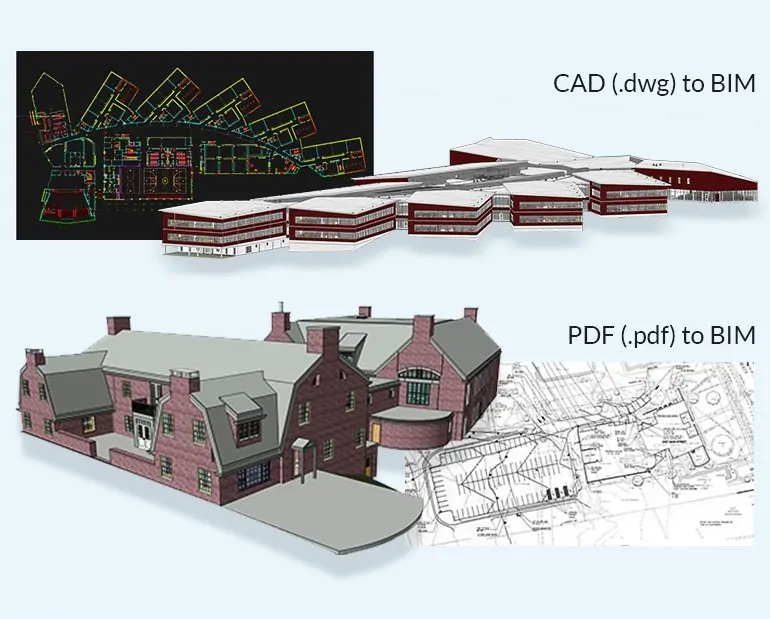
Convert 2D CAD drawings, PDFs, DWG files, sketches, and legacy project documents into clean, reliable Revit BIM models.
United-BIM supports architects, engineers, contractors, owners, and construction teams with CAD to BIM modeling services for architectural, structural, and MEPFP projects. Whether you need a coordination-ready model, documentation support, quantity takeoff data, or an as-built BIM model, our team develops models that are structured, usable, and aligned with your project requirements.
FILL OUT THE FORM AND WE'LL BE IN TOUCH SOON!
Our CAD to BIM Services Includes
From PDF drawings, scanned sheets, and legacy documentation, we develop Revit BIM models for renovation, retrofit, documentation, and coordination workflows.
Using 2D CAD, DWG, and DXF files, our team builds structured Revit models from plans, elevations, sections, grids, levels, and project details.
With 3D CAD files, we convert raw geometry into organized BIM models that support documentation, coordination, review, and future updates.
Through hand sketches, markups, and conceptual layouts, we create Revit BIM models that help teams visualize scope, test layouts, and move into a usable BIM environment.

BIM Projects
Years Experience
Compliance-Focused Delivery
Sectors
CAD to BIM Modeling Services with Required LOD and Accuracy
United-BIM develops CAD to BIM models with the geometry, detail, and information required for your project stage and intended use.
Our team uses the available dimensions, sections, elevations, details, and design intent from your source files to create Revit BIM models aligned with the approved scope.
What We Convert
- Architectural drawings
- Structural drawings
- MEP drawings
- CAD, PDF, DWG, and scanned project files
What We Confirm Before Modeling
- Required LOD
- Discipline scope
- Model elements
- Project standards
- Final deliverables
Where the Model Can Be Used
- Design documentation
- Clash coordination
- Quantity takeoff
- Renovation planning
- Construction sequencing
- As-built handover
Common tools used
- Revit
- Navisworks
- AutoCAD
- Recap
- Bluebeam
- Project-specific BIM platforms
Convert Existing Project Information into a Usable BIM Model
Whether your starting point is CAD, PDF, 3D CAD, or sketches, United-BIM can help convert your project information into a structured Revit model.
CAD to BIM Support by Project Stage
We develop CAD to BIM models based on the project stage, available drawing inputs, and the level of detail required for the next project decision.
Schematic Design
For early-stage drawings, sketches, or CAD files, we create BIM models that support massing, space planning, floor plans, elevations, sections, 3D views, and early quantity review.
- Basic building model
- Floor plans and elevations
- 3D views
- Building sections
- Early quantity support
Design Development
For design development inputs, we create more detailed BIM models with architectural, structural, and MEP elements aligned with the evolving design scope.
- Floor plans and exterior elevations
- Structural grids and dimensions
- Interior walls and openings
- Wall sections and building sections
- Basis-of-design details
Construction Documents
For construction-stage drawing sets, we convert architectural, structural, and MEPFP documentation into Revit BIM models that support coordination, documentation, construction planning, and handoff.
- Architectural, structural, and MEPFP BIM models
- Annotated plans, sections, and elevations
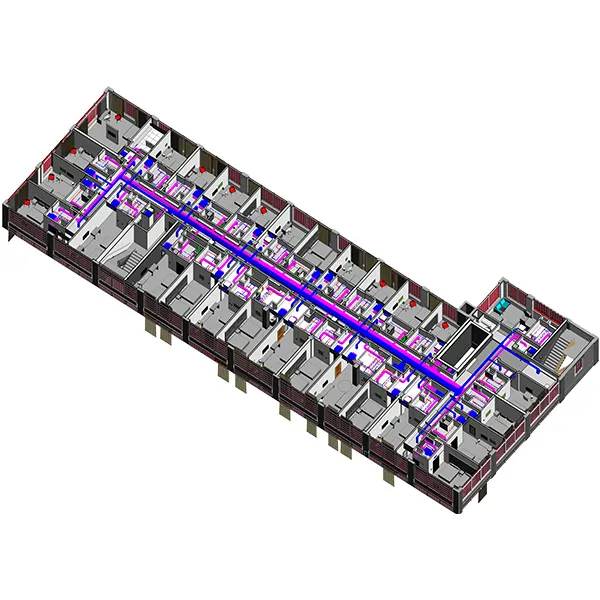
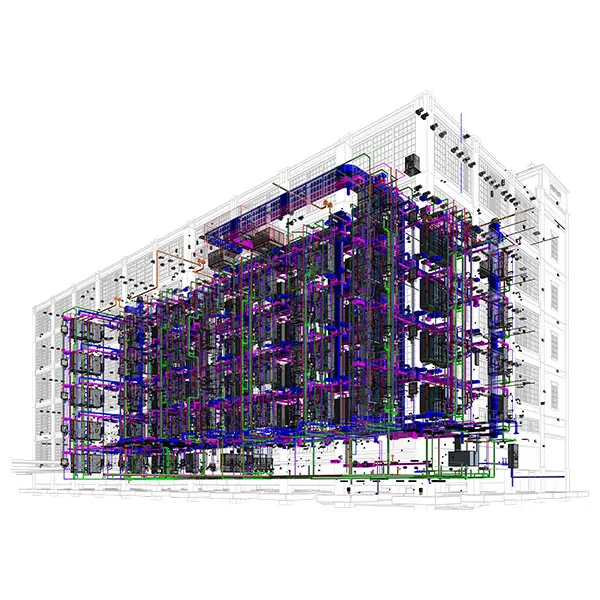
- HVAC, electrical, plumbing, and fire protection model elements
- Schedules, notes, and detail references
- Coordination-ready model outputs
Frequently Asked Questions
Everything you need to know about our CAD to BIM Modeling Services. Can’t find your answer? Reach out directly.
Phone : USA –(860) 317-7105
Email : info@united-bim.com
CAD to BIM conversion is the process of converting 2D CAD drawings, PDFs, sketches, or 3D CAD files into intelligent BIM models, usually in Revit.
Yes. United-BIM can convert PDF drawings, scanned sheets, and legacy documentation into Revit BIM models based on the available drawing information and required LOD.
Typical inputs include DWG files, PDFs, scanned drawings, hand sketches, design standards, project specifications, LOD requirements, and discipline scope.
Architectural, structural, and MEPFP models can be developed from CAD, PDF, sketch, or 3D CAD inputs.
Yes. If modeled with the right LOD and discipline coordination requirements, CAD to BIM models can be used for clash detection and BIM coordination.
Yes. CAD to BIM is useful for renovation, retrofit, as-built modeling, and projects where legacy drawings need to be converted into usable BIM models.