Fire Protection BIM Services
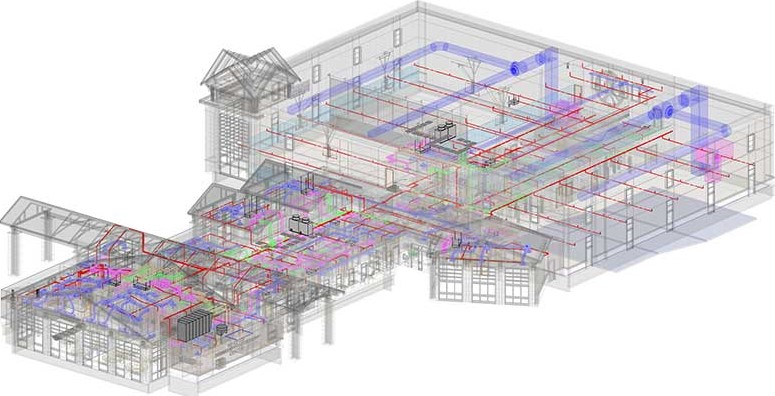
Our Fire Protection BIM Services is specialized in converting a detailed fire sprinkler modeling design into a 3D fire protection model. We specialize in providing the required level of detail ranging from LOD 100 to LOD 500 throughout the initial schematic fire protection design and the final construction stage.
Our Fire Protection BIM Services
Our Fire Protection BIM Services provide various levels of detailing into a fire protection model (from LOD 100 to LOD 500), depending upon the stage of building design, from initial fire protection & sprinkler design (schematic design) to design development to construction documents to fabrication to construction stage.
Mechanical 3D Modeling
Convert 2D fire protection design/drawing into a highly detailed and accurate Revit 3D fire protection model.
4D & 5D BIM
Provide a data-rich fire protection 3D model for scheduling, cost estimation, quantity-takeoff, BOM & BOQ
Fabrication & Shop-drawings
Provide a data-rich fire protection 3D model used for the fabrication and installation process.
Mechanical Content Creation
Create parametric modeling and library creation of fire protection and sprinkler components.
Our MEPFP Coordination Process
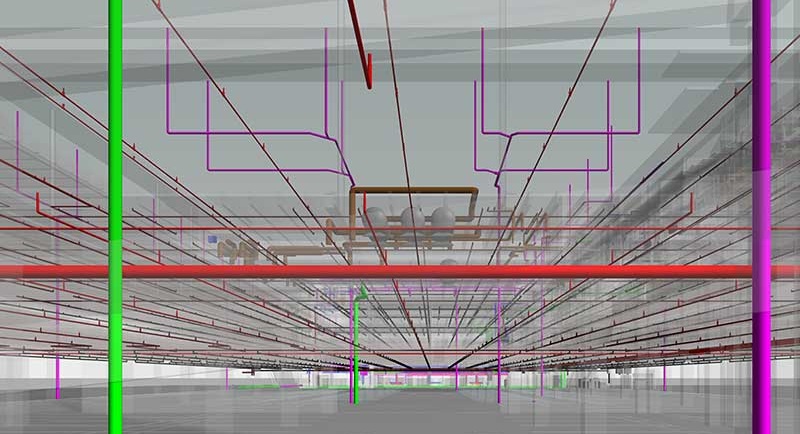
Load MEP BIM Template before the start of a new project. The template should be based on the company’s standards for each of the listed trades: mechanical, electrical, plumbing & sanitary and fire protection.
Verify/Check the coordinate of the Architectural model. It is important to have the same coordinates for both MEP and Architectural models before linking them. The best approach is to use the “Origin to Origin” positioning option for placing both models.
Prepare MEP model each of the disciplines/trades – Mechanical (HVAC etc.), Electrical, Plumbing and include all elements before linking them for coordination with other sub-disciplines within the central file.
In Autodesk’s Navisworks any two disciplinary models are coordinated together and by clicking on “Run Test”, it shows the report of the clashes occurred between the coordinated model.
Once all clashes/conflicts are solved in the Revit file, you have to export it again, with the same name and in the same folder. When you reload the cache in the Navisworks, resolved clashes will appear in the yellow in the “Resolved Section”. If any new clashes emerge, they are classified in red as new.

Benefits of Our Fire Protection Modeling Services
Over the years, we are proud to have successfully delivered various MEP modeling projects with impeccable quality standards and experience. We help AEC professionals with our BIM fire protection Modeling services to create an accurate Revit 3D fire protection model from 2D fire protection designs. We ensure the standards & specifications with geometric accuracy and 4D and 5D services like scheduling and cost estimation for fire security elements.
- Accurate geometric representation within coordinated design
- Clash-free design coordination with different design discipline
- Extend design to fabrication by including manufacturing-specific content
- Ease of modeling with standard specification and code compliance
USA
